Introduction
If you’ve ever explored online education platforms, you’ve likely heard of Moodle — one of the most popular and trusted Learning Management Systems (LMS) in the world.
Whether you’re a school, university, or corporate trainer, Moodle offers everything you need to create, deliver, and manage online learning — all in one place.
In this guide, we’ll explore the key Moodle LMS features, why educators love it, and how it can help you build your own eLearning platform.
What Is Moodle LMS?
Moodle stands for Modular Object-Oriented Dynamic Learning Environment — quite a mouthful, but it perfectly describes what it does!
It’s an open-source Learning Management System that allows instructors to create customized online courses, manage learners, and track progress effortlessly.
Unlike proprietary platforms, Moodle gives you complete control over your system — from course design to server setup.
Top Moodle LMS Features
Here are the most powerful and practical features that make Moodle a favorite in the eLearning world
1. User-Friendly Course Management
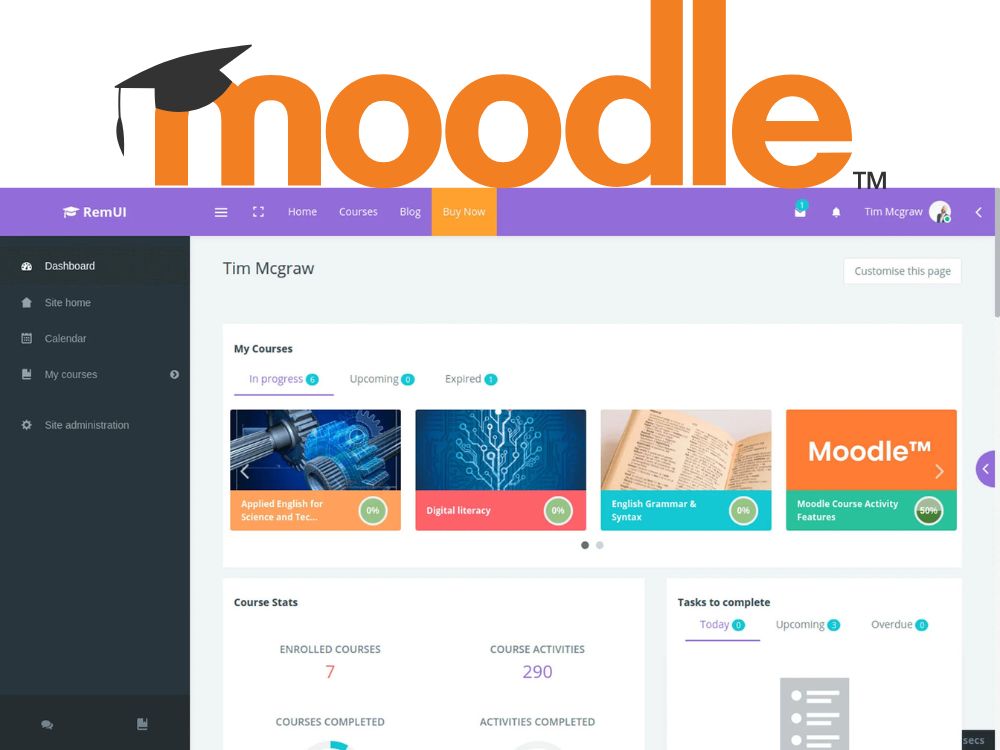
Moodle makes it easy for instructors to create, organize, and manage courses.
You can upload lessons, assignments, and quizzes, or even import SCORM packages.
Its drag-and-drop interface simplifies adding content — no coding needed.
2. Personalized Learning Paths
Learners can access personalized courses based on their role, progress, or goals.
You can design learning paths with prerequisites, so students move forward only after completing each stage.
3. Communication & Collaboration Tools
Engagement is the heart of online learning. Moodle supports:
-
Forums and group chats
-
Direct messaging between students and teachers
-
Collaborative tools like wikis and glossaries
This encourages active participation and a sense of community.
4. Advanced Reporting & Analytics
Moodle gives you detailed reports on student performance, attendance, and activity.
Admins can monitor completion rates, grades, and engagement — helping improve course effectiveness.
5. Secure User Management
Security is built into Moodle’s core.
It supports multi-level access (admin, teacher, student) and secure authentication through OAuth2, LDAP, or manual logins.
All user data and grades remain fully encrypted and protected.
6. Customizable Design & Themes
You can easily change Moodle’s appearance to match your brand.
Choose from free themes or build a custom Moodle design that fits your institution’s identity.
(💡 At CS Webexperts, we specialize in Moodle theme customization and setup for schools, universities, and training companies.)
7. Plugin Support & Scalability
Moodle’s real power lies in its plugins — over 1,600 free extensions that enhance functionality.
From gamification to attendance tracking, there’s a plugin for almost anything.
And because it’s open-source, developers can add custom features anytime.
8. Mobile Learning (Moodle App)
Modern learners are mobile-first — and Moodle gets that.
The Moodle Mobile App lets students access courses, attempt quizzes, and submit assignments on the go.
Offline access ensures learning never stops, even without internet.
9. Integration with Other Tools
Moodle integrates easily with tools like:
-
Google Workspace (Docs, Meet, Calendar)
-
Microsoft Teams
-
Zoom
-
Payment gateways for paid courses
Plus, with Make.com automation or API setup, you can automate tasks like enrollment, notifications, and report generation.
10. Multi-Language & Accessibility Support
Moodle supports over 100+ languages, making it ideal for global learners.
It also complies with WCAG accessibility standards, ensuring everyone — including differently-abled learners — can participate equally.
Why Choose Moodle Over Other LMS Platforms
Unlike closed systems like Blackboard or Canvas, Moodle gives you freedom, flexibility, and full ownership of your data.
It’s cost-effective (no license fees), highly customizable, and supported by a massive global community.
If you want an LMS that grows with you, Moodle is a smart choice for the long run.
How CS Webexperts Can Help You with Moodle
At CS Webexperts, we help organizations design and deploy custom Moodle LMS solutions that fit their exact needs.
Our services include:
-
✅ Moodle installation & setup on AWS
-
✅ Custom theme design & branding
-
✅ Course creation & teacher training
-
✅ Moodle automation using Make.com
-
✅ Continuous support and maintenance
👉 Contact us to build your eLearning platform with expert Moodle developers.
Moodle remains one of the most reliable and feature-rich LMS platforms available today.
Its flexibility, scalability, and open-source nature make it ideal for both educational institutions and corporate training setups.
If you’re ready to launch or upgrade your eLearning system, exploring Moodle’s full potential could be your best next step.