PySpark Tutorial for Beginners (2025): Learn Big Data the Easy Way
Big data is everywhere—from social media platforms to online shopping websites. Every click, search, and transaction generates data. Handling such massive data efficiently is not possible using traditional tools. This is where Apache Spark and PySpark become essential.
If you are looking for a PySpark tutorial that explains everything clearly without complex jargon, this guide is perfect for you. Whether you are a student, working professional, or beginner in big data, this article will help you understand PySpark step by step.
What is PySpark?
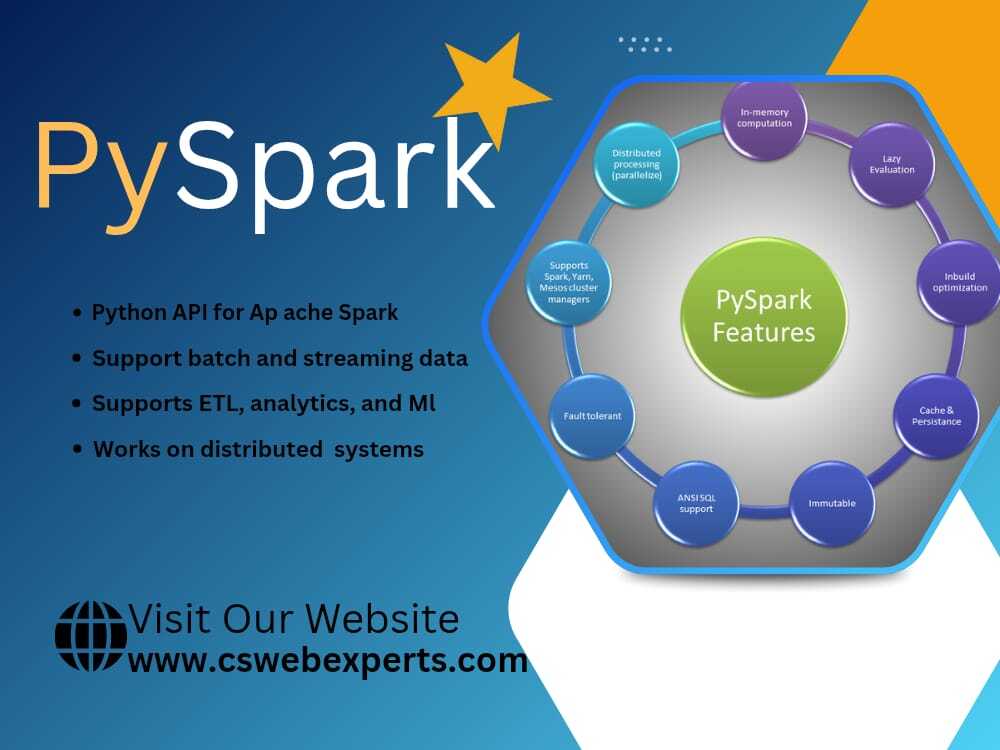
PySpark is the Python interface for Apache Spark, a powerful open-source big data processing framework. It allows you to use Spark’s distributed computing capabilities while writing code in Python.
Since Python is easy to learn and widely used, PySpark has become extremely popular among:
-
Data Analysts
-
Data Engineers
-
Data Scientists
PySpark helps you process huge datasets faster by distributing tasks across multiple machines.
Why Learn PySpark in 2025?
Learning PySpark is a smart career move, especially in 2025. Companies are heavily investing in big data and analytics, and PySpark is one of the most in-demand skills.
Key Benefits of PySpark:
-
Handles large-scale data efficiently
-
Faster than traditional data processing tools
-
Works well with SQL and Python libraries
-
Used by top tech companies worldwide
If you already know Python, learning PySpark will feel natural and easy.
Prerequisites for This PySpark Tutorial
You don’t need to be an expert to start learning PySpark. However, having the following basics will help:
-
Basic knowledge of Python
-
Understanding of rows and columns
-
Simple idea of data analysis
If you are new to Python, you can first read:
👉 Python for Beginners (Internal Link)
https://cswebexperts.com/python-for-beginners.
How to Install PySpark
Installing PySpark is very simple.
Step 1: Make sure Python is installed
Step 2: Run the following command:
Once installed, you can start working with PySpark in your system or in Jupyter Notebook.
For official guidance, visit:
👉 Apache Spark Official Documentation (External Link)
https://spark.apache.org/docs/latest/
Understanding PySpark Architecture
PySpark works on a distributed computing model, which means tasks are divided and processed simultaneously.
Main Components:
-
Driver Program – Controls the application
-
SparkContext – Connects Python with Spark
-
Executors – Run tasks on worker nodes
This architecture is what makes PySpark extremely fast and scalable.
What Are PySpark DataFrames?
A DataFrame is the most commonly used structure in PySpark. It looks like a table with rows and columns, similar to Excel or SQL tables.
Why Use DataFrames?
-
Easy to understand
-
Optimized for performance
-
Supports SQL-like queries
-
Handles millions of records smoothly
DataFrames are the backbone of most PySpark applications.
Common PySpark Operations
In this PySpark tutorial, here are some basic operations you will use regularly:
1. Reading Data
You can read data from CSV, JSON, Parquet, or databases.
2. Selecting Columns
Choose only the required columns to improve speed.
3. Filtering Data
Filter records based on conditions.
4. Grouping & Aggregation
Used to calculate totals, averages, and counts.
These operations are used in almost every real-world PySpark project.
Real-World Use Cases of PySpark
PySpark is widely used across industries:
-
E-commerce – Customer behavior analysis
-
Finance – Fraud detection
-
Healthcare – Patient data processing
-
Marketing – Campaign performance analysis
To understand how PySpark fits into analytics, read:
👉 What Is Data Analytics? (Internal Link)
https://cswebexperts.com/what-is-data-analytics
PySpark vs Pandas: Which Is Better?
Many beginners compare PySpark with Pandas.
| Feature | PySpark | Pandas |
|---|---|---|
| Data Size | Very Large | Small to Medium |
| Speed | High (Distributed) | Limited |
| Best For | Big Data | Small Datasets |
If you work with massive data, PySpark is the better option.
Career Opportunities After Learning PySpark
Once you complete a PySpark tutorial and gain hands-on practice, you can apply for roles like:
-
Data Engineer
-
Big Data Developer
-
Data Analyst
-
Machine Learning Engineer
PySpark skills are highly valued, especially in US-based and global tech companies.
Conclusion
This PySpark tutorial for beginners explained big data concepts in a simple and practical way. From installation to real-world use cases, you now have a strong foundation to start learning PySpark confidently.
The key to mastering PySpark is practice. Start with small datasets, work on projects, and gradually move to advanced topics like Spark SQL and machine learning.
Big data is the future—and PySpark can be your gateway.